PureSynq · Pool Service App

Take your pool business to the next level.

All features included. One plan, one price — routes, dosing, billing, profit and your own customer portal.

Get early access
Routes & Scheduling
Smart Dosage Adviser
Custom Service Reports
Dual Billing + Auto Invoicing
Profit per Customer & Route
Customer Portal + AutoPay
QR Pool Logs (Commercial)
…and more below ↓
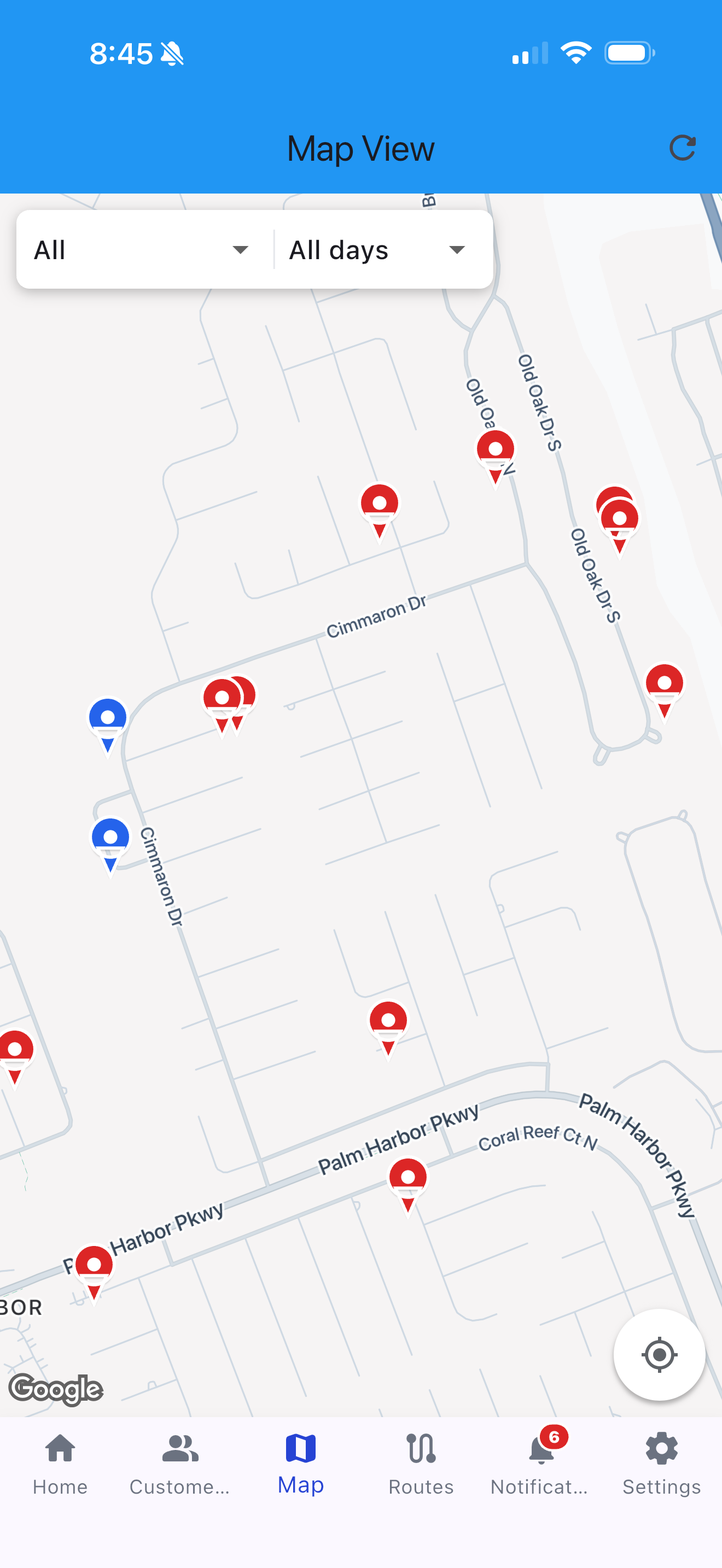
Map view
Technician route
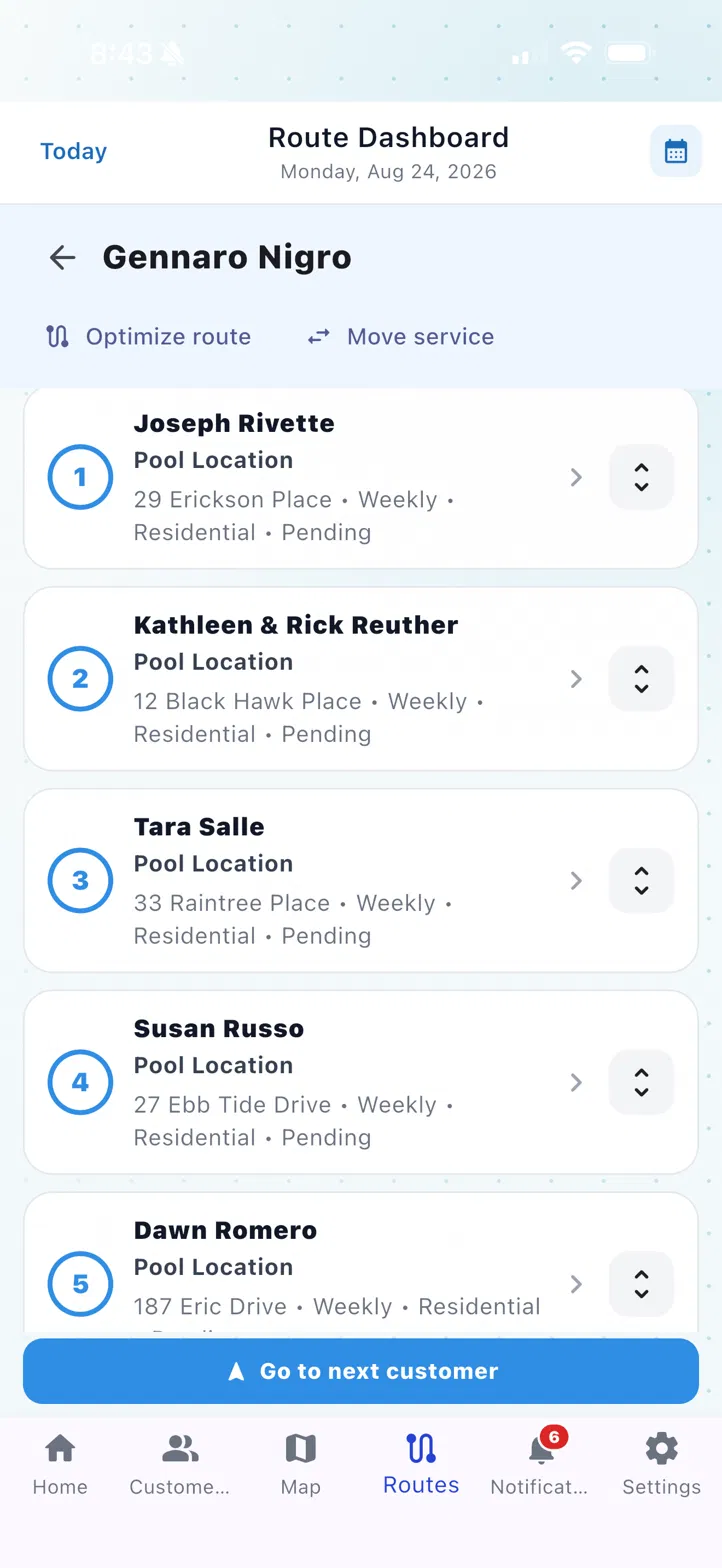
Route dashboard
Route optimized · 8 stops
32.4 mi tracked today
Routes & Scheduling

Routes that remember themselves.

Build each technician's route once per weekday — the order sticks, week after week. Service calls and work orders drop into the same day view, and skipped stops get logged with a reason your office can see.

  • Permanent stop order per tech, per weekday
  • Skip a stop with a reason — customer gets notified automatically
  • Service calls & work orders in the same dashboard
Learn more →
Smart Dosage with explanations
Wait 20 min after the acid
the engine sequences doses for you
Saturation index 0.06 · Balanced
LSI with live water temperature
Smart Dosage & Service Reports

Dosing you can argue with.

Every dose comes with its reason: chlorine demand from this pool's history, alkalinity carryover, rain dilution from real weather data. No black-box "AI" — your techs see the why, in cups and ounces. Then the visit becomes a report your customer actually reads: readings, checklist, photos, in the layout you pick.

  • Exact doses with the physics visible — salt pools, feeders, LSI included
  • Three report formats (Classic / Modern / Compact), white-labeled
  • Emailed automatically when the tech taps Finish
Learn more →
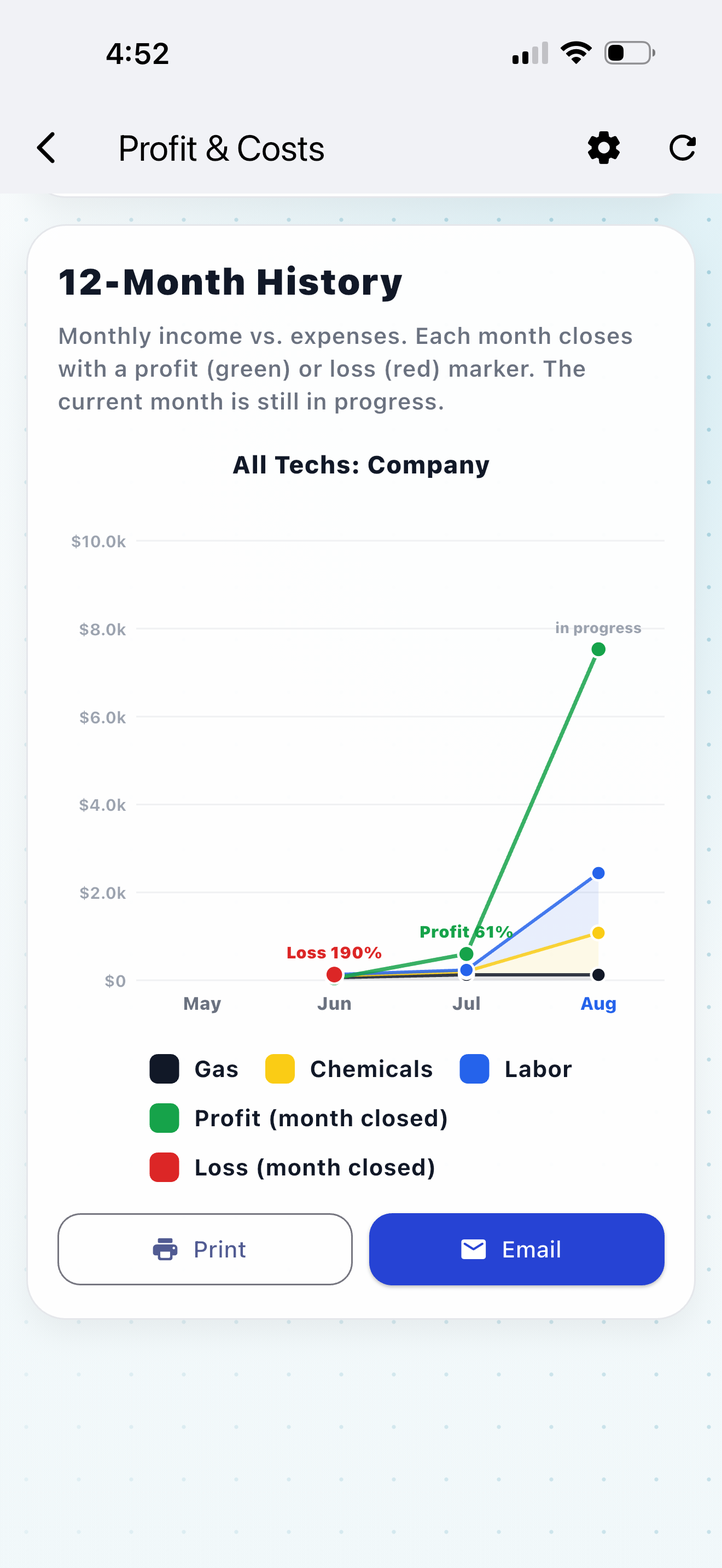
Customer profit trends
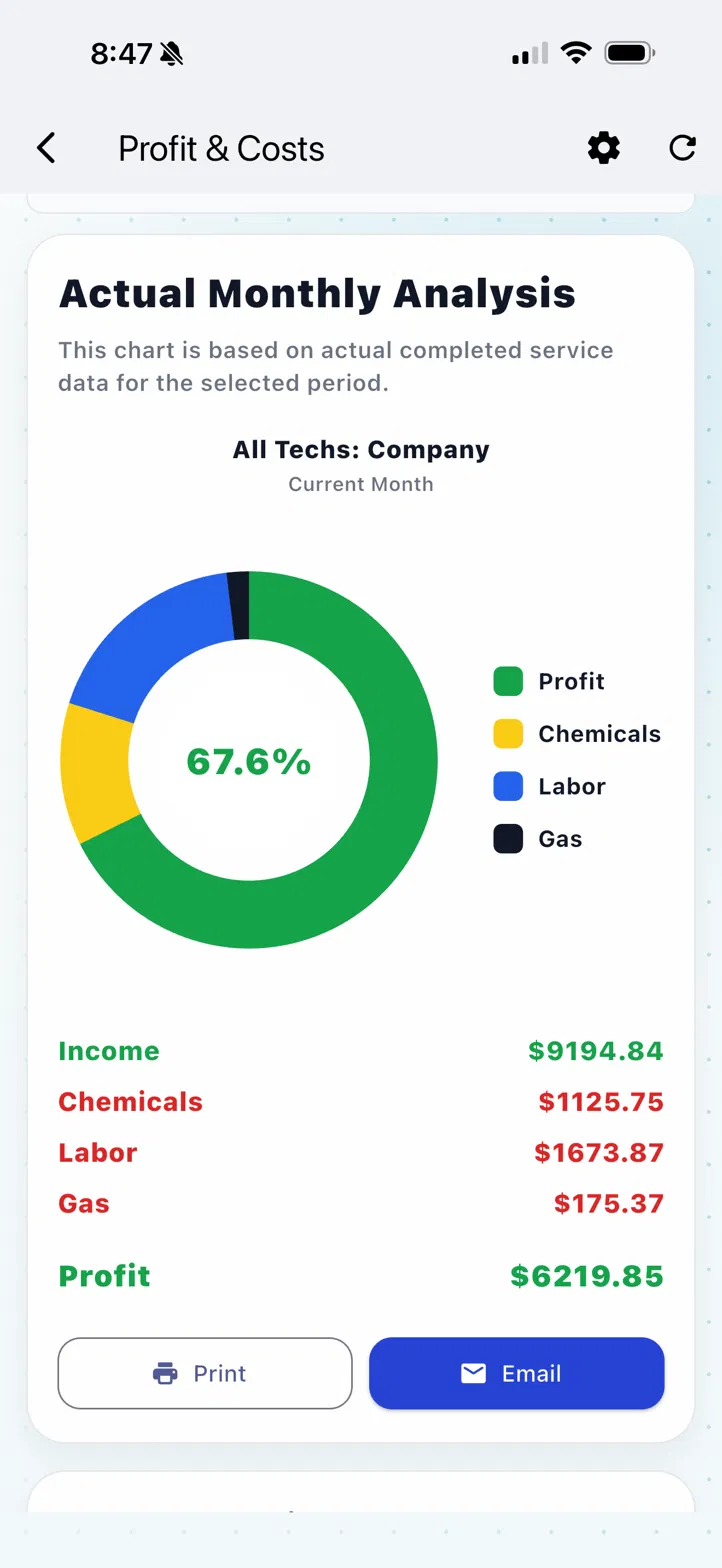
Monthly profit analysis
2 customers losing money
67.6% profit this month
Profit & Cost

Know which customers are costing you money.

True profit per customer, per route and per company — chemicals, labor and gas included. Monthly trending arrows show who's slipping before it hurts. Nobody else in pool software does this.

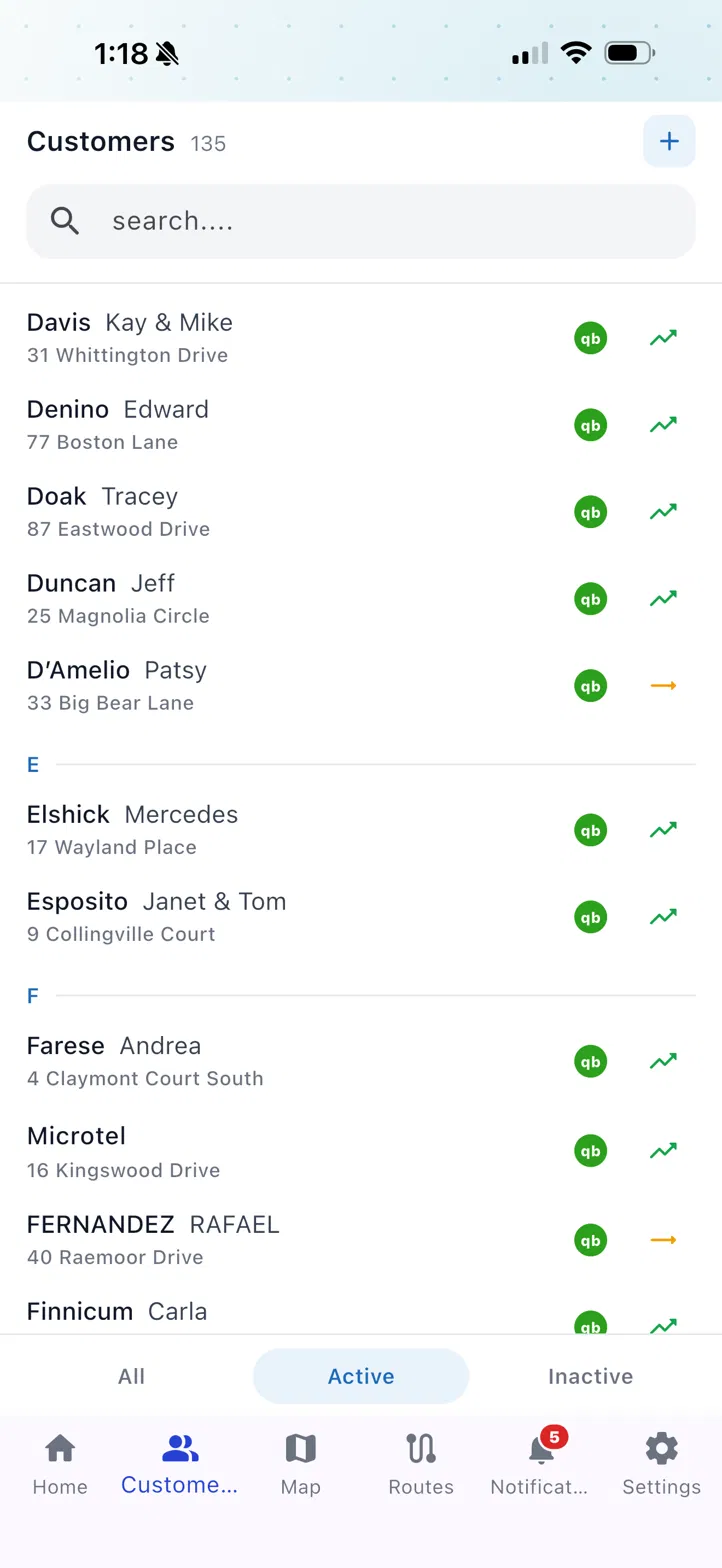
  • Profit Rank per customer with month-over-month arrows
  • Monthly chemical consumption — see it, filter it, print it
  • Annual mileage log, tracked automatically — export it and hand it to your accountant
Learn more →
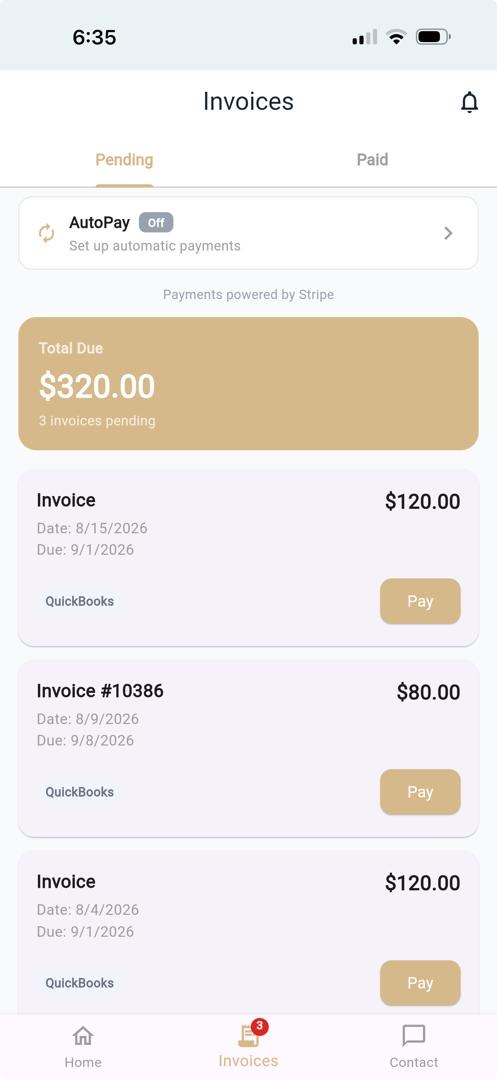
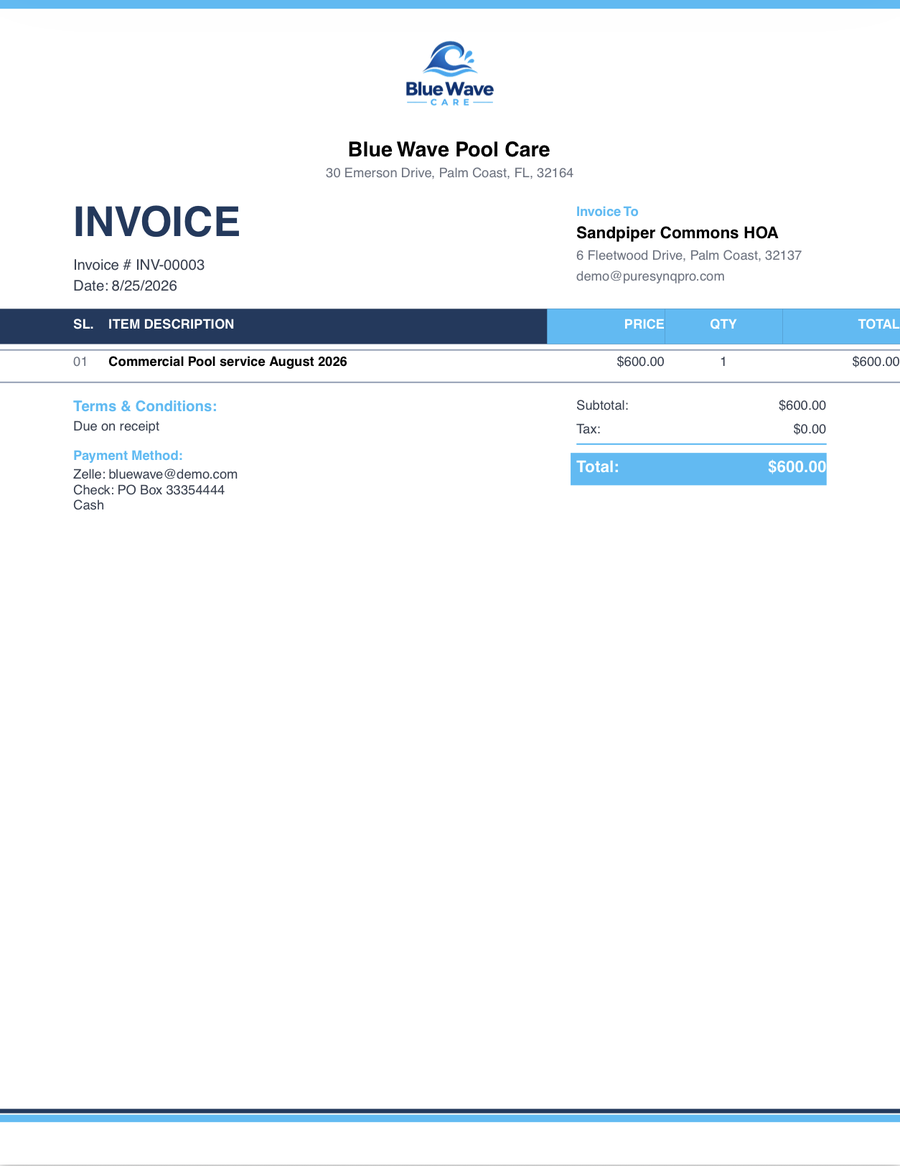
PureSynq invoice
QuickBooks · Connected · Production
Auto-invoice sent · $180.00
real QBO invoice, fees tracked per payment
Billing & Payments

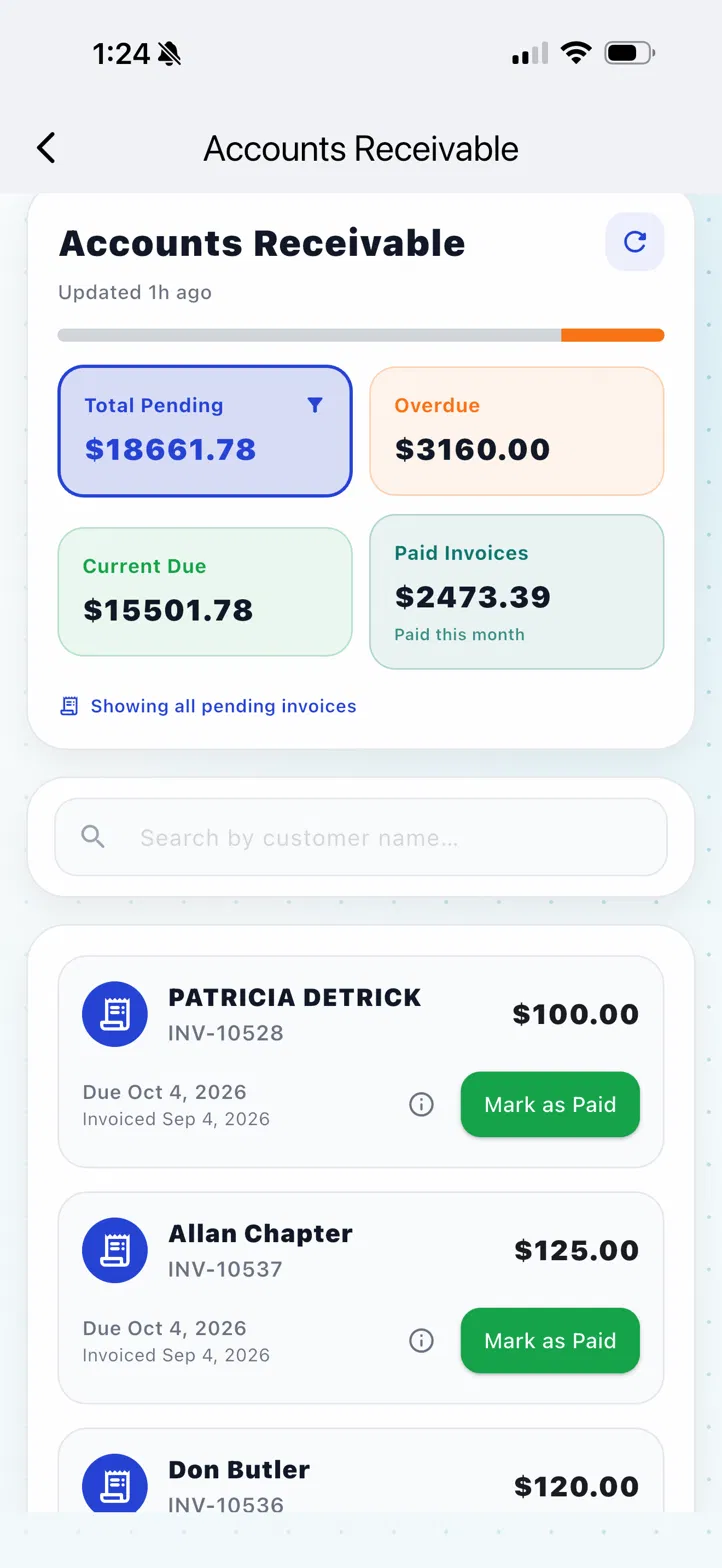
Your invoices stay in QuickBooks. Or don't — your call.

Two billing engines, one switch: run everything inside PureSynq, or let PureSynq automate real QuickBooks invoices — native documents, sent by QuickBooks, with your books clean from day one. Card payments run on Stripe, with processing fees shown before you connect and tracked in QuickBooks payment by payment.

  • Auto-invoicing in either engine — switch without disconnecting QuickBooks
  • Stripe payments with fees visible up front, logged in QBO per payment
  • AutoPay with an optional customer discount deal
Learn more →
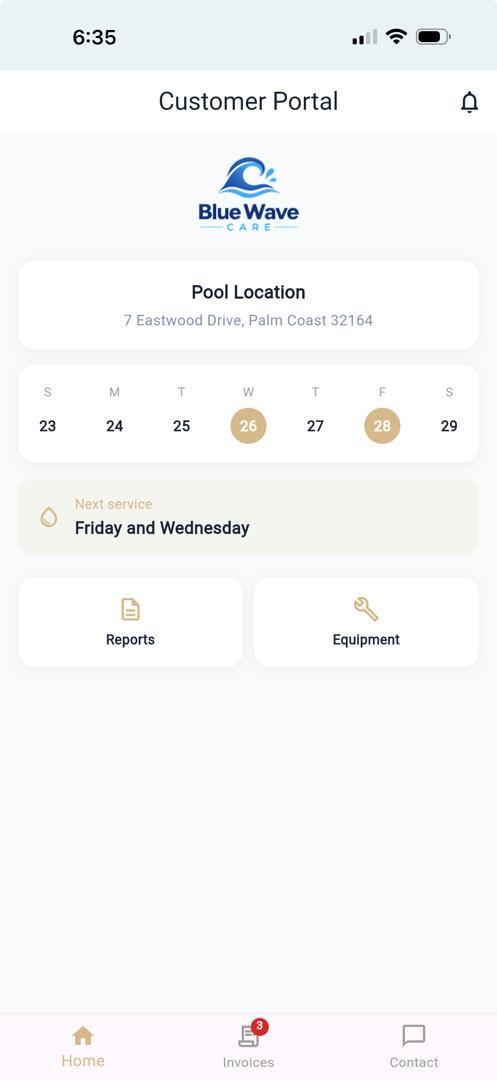
portal-phone.png
Portal con el logo del contractor
Customer Portal

Your logo on your customer's phone.

One invite, one minute: the portal installs on their home screen with your company's icon — no app store, no passwords to forget. Reports, invoices, payments, AutoPay enrollment and issue reporting, all under your brand.

  • Installable web app, white-labeled with your logo and colors
  • Customers view reports, pay invoices and enroll in AutoPay
  • They report pool issues straight into your Case Center
Learn more →
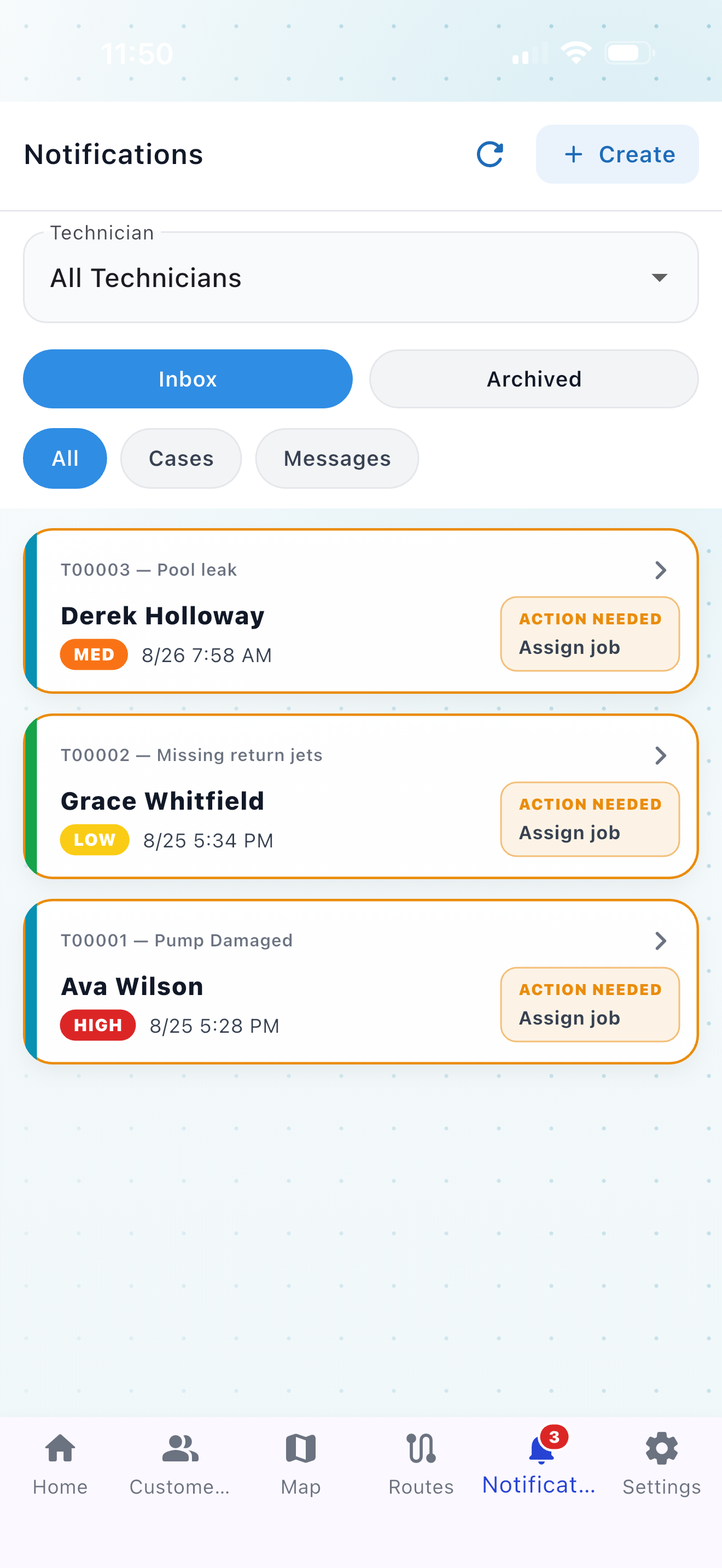
cases-phone.png
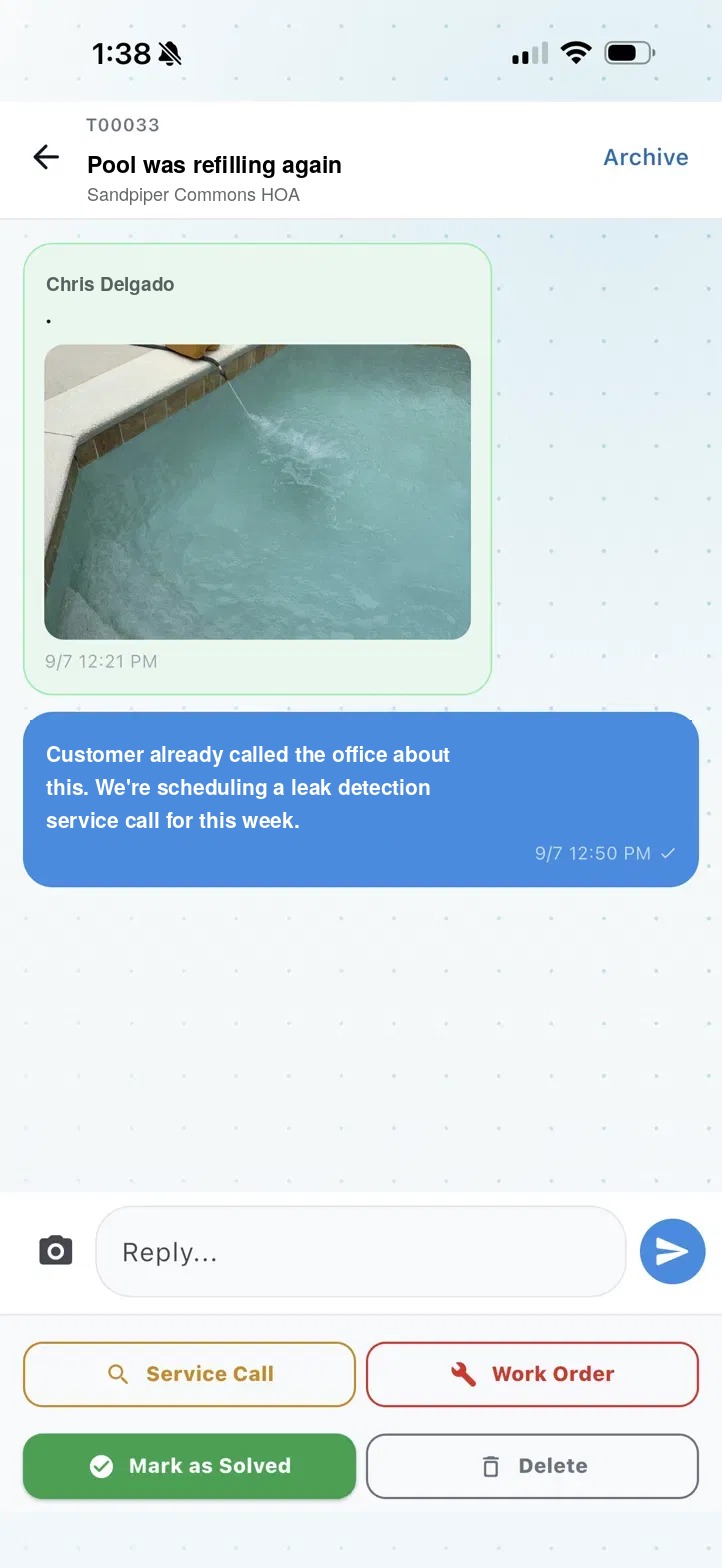
Chat de un caso abierto
Case Center

Pool issues become cases — not phone tag.

A tech spots a broken cleaner. A customer reports green water from their portal. Either way it lands in one place as a case with its own chat — and one tap turns it into a service call, a work order, or a resolved note. Nothing lives in text messages anymore.

  • Techs and customers open cases; the office sees everything
  • Every case is a chat — photos, questions, decisions in one thread
  • One tap: schedule a service call or work order from the case
Learn more →
qr-phone.png
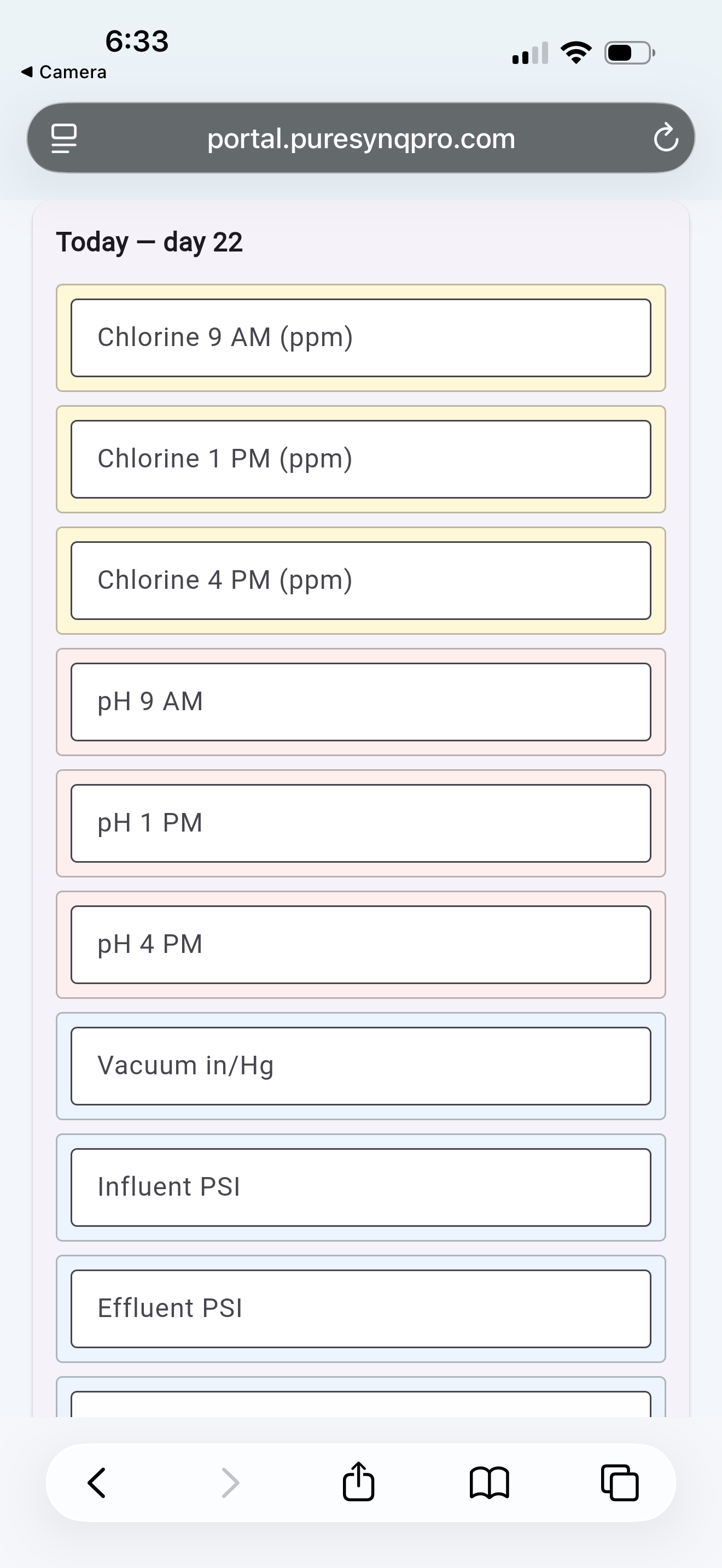
Pool log virtual vía QR
Commercial Pools

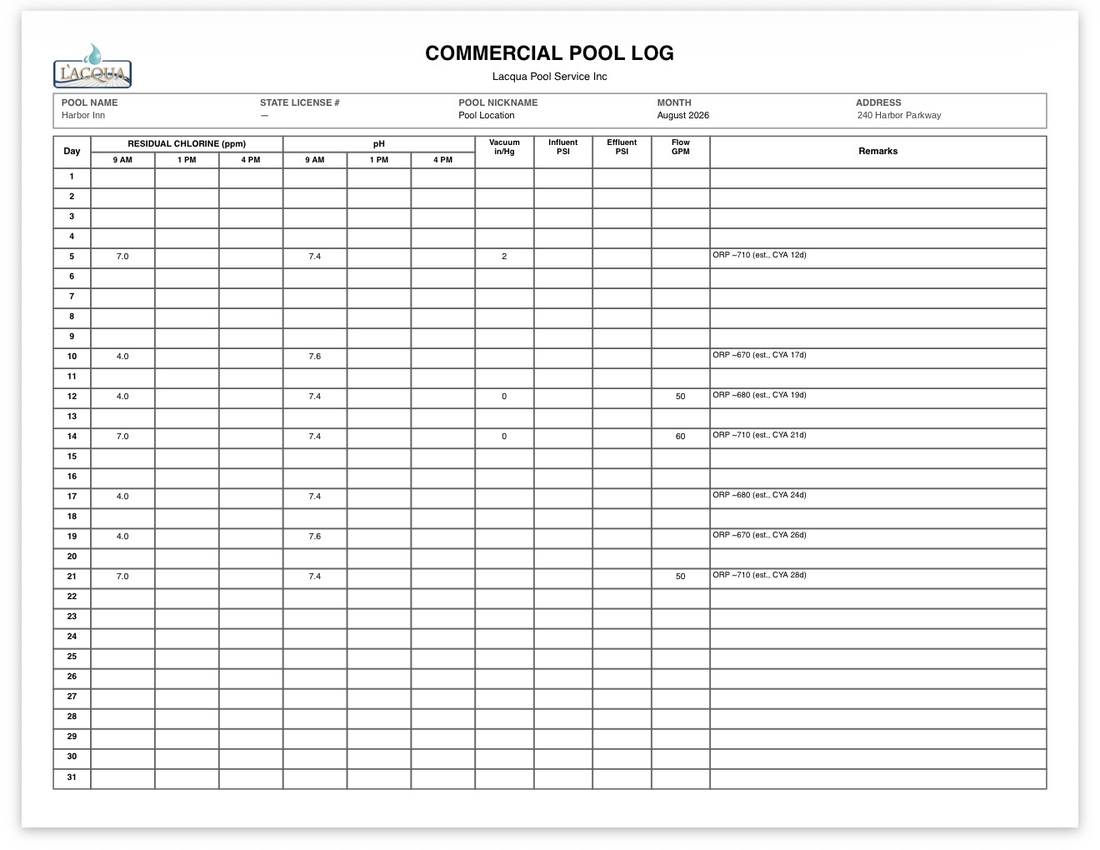
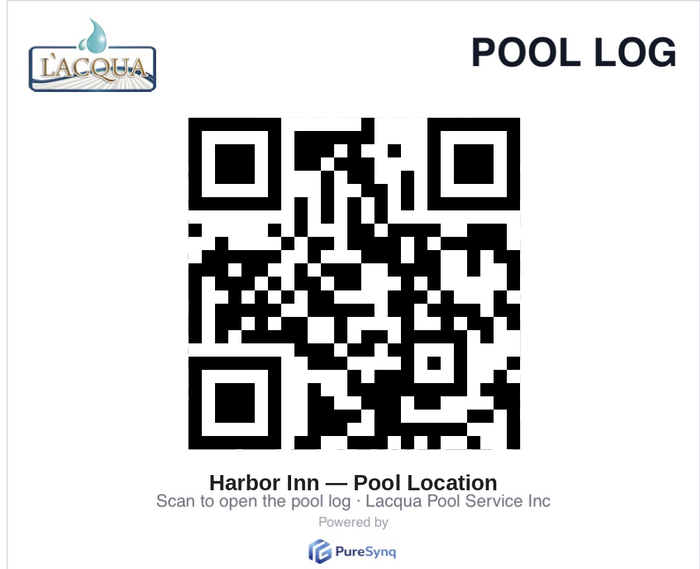
Pool logs with a QR code. Compliance without paper.

A sticker on the equipment pad, a scan, and the full service log is on screen — every reading, every visit, timestamped. When the inspector shows up, your customer looks organized and so do you.

  • Virtual pool log per body of water, behind a QR code
  • Readings and visits recorded automatically from service stops
  • Printable history when regulators ask for it
Learn more →

One plan. Everything included.

You only pay for customers you actually serviced that month. Not seats, not locations on a list — serviced customers. Every feature on this page is in the plan. No tiers, no add-ons.

$29.99/month

Covers your first 30 serviced customers.

Then just $1/month per additional serviced customer.

14-day free trial · starts with your first service report · no credit card required · cancel anytime

Get early access
PureSynqSkimmer
Base price$29.99/mo$49–$98/mo*
Unlimited technicians & adminsper-location pricing
Installable customer portalpartial
Profit per customer, gas included
QR pool logs (commercial)
Explainable dosing engine built in3rd-party add-ons

*Skimmer "Getting Started" / "Scaling Up" plan pricing as published on getskimmer.com, August 2026. Comparison based on publicly available information.

Frequently asked questions

Does it work without cell signal?

Service reports, photos and equipment updates queue on the phone and upload themselves when signal returns, even if the app gets closed in between. Your techs finish the stop and drive on.

How does the free trial work?

Create your company, add your customers and start working — the 14-day trial clock only starts when you complete your first service report. No credit card required to try it.

Does it integrate with QuickBooks?

Yes, with QuickBooks Online in production. You can run billing fully inside PureSynq, fully in QuickBooks, and switch modes — invoices, customers and payments stay in sync.

Do my customers need to install anything?

No app store, no account creation. You send one invite from their profile; they tap it, follow a one-minute guide, and the portal installs on their home screen with your company's logo. They can also just use it in their browser.

How many technicians can I have?

As many as you need — pricing is based on serviced customers, not seats. Add techs, assign routes and set roles without changing your bill.

Can I migrate from another platform?

Yes. Reach out through the contact form and we'll help you bring your customer list and pool details over so your routes are ready on day one.

What devices does it run on?

The technician app runs on iPhone. Your customers' portal works on any phone or browser, no install required. Support for more platforms is on the roadmap.

How do I cancel?

Anytime, from Settings, in two taps. No calls, no retention scripts. Your data remains exportable.

Be first on the route.

PureSynq is launching soon. Leave your email and you'll get access before everyone else — plus launch pricing locked in.

Talk to us

Questions, migrations, or a walkthrough — we answer fast.

Prefer email? Write to us and we'll get back within one business day.

Built in Palm Coast, Florida, by a pool service company owner with 10 years in the field — for companies that live on the route, not in the office.