All-in-one pool service software

Android and web · iPhone coming soon

You know your revenue. Do you know which pools lose you money?

PureSynq runs the whole route: scheduling, dosing, photo reports, invoicing and a customer portal with your logo. And it puts the profit of every pool on the screen, with chemicals, labor and gas already subtracted.

$29.99/month·30-day free trial·no per-technician fee

Already have an account? Sign in on the web

A technician holding a phone with the PureSynq home screen, at a pool
Made by a pool service owner

Built on a pool route, not in an office.

Ten years of accounts and 6 a.m. starts went into this app. It starts where your day starts, with the route. Then it tells you what that route actually earned you.

Three screens, one day on the route.

Set it up once. From then on, the app follows the day the way your technicians already work it.

1

Build the route

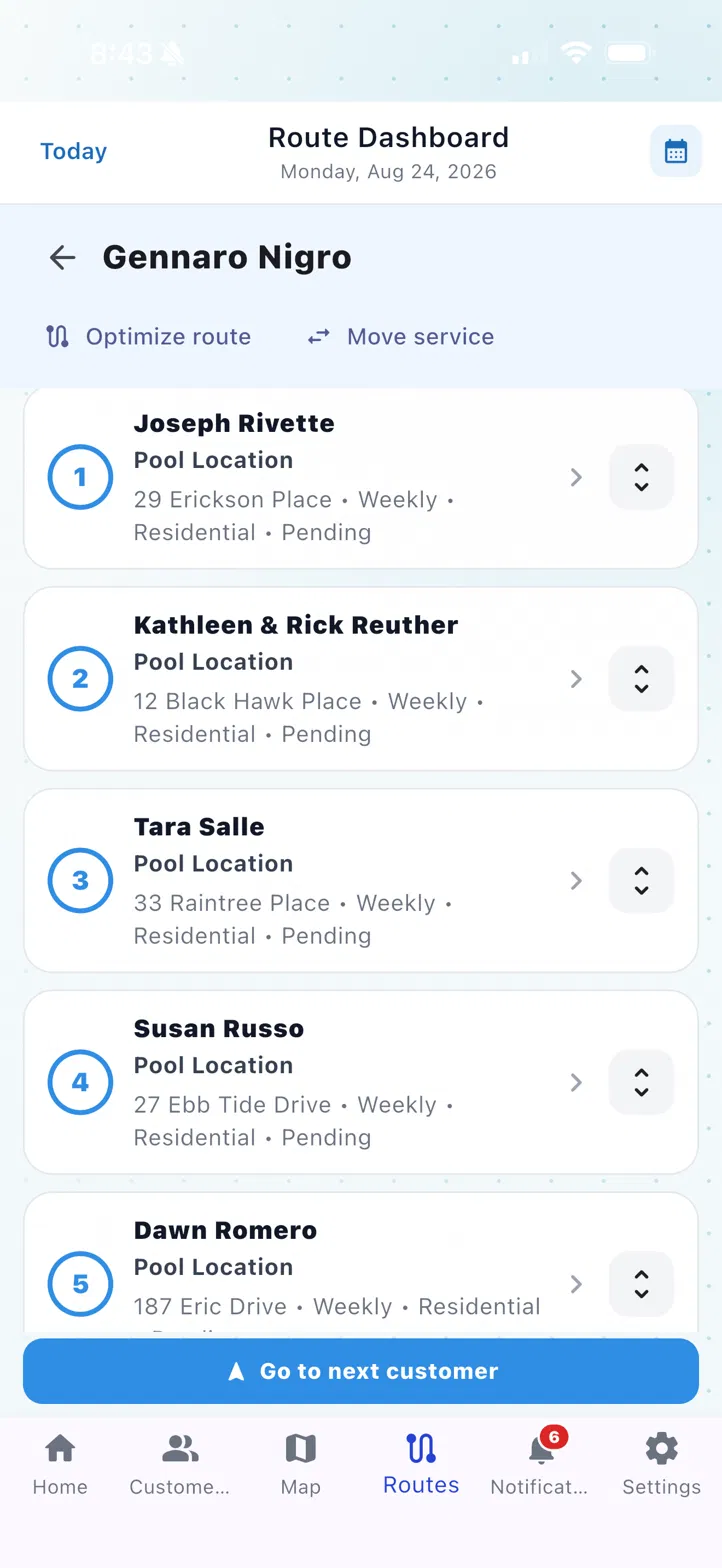
Add customers, assign technicians, drag the stops into place. One tap puts them in the shortest order.

2

Finish the stop

Readings, doses with the reason behind each one, photos with the time burned in. Tap Finish and the report is on its way to the customer.

3

See what it earned

Invoice from the same screen. Then see the profit of that pool, with chemicals, labor and gas already taken out.

Today's route as a list of stops
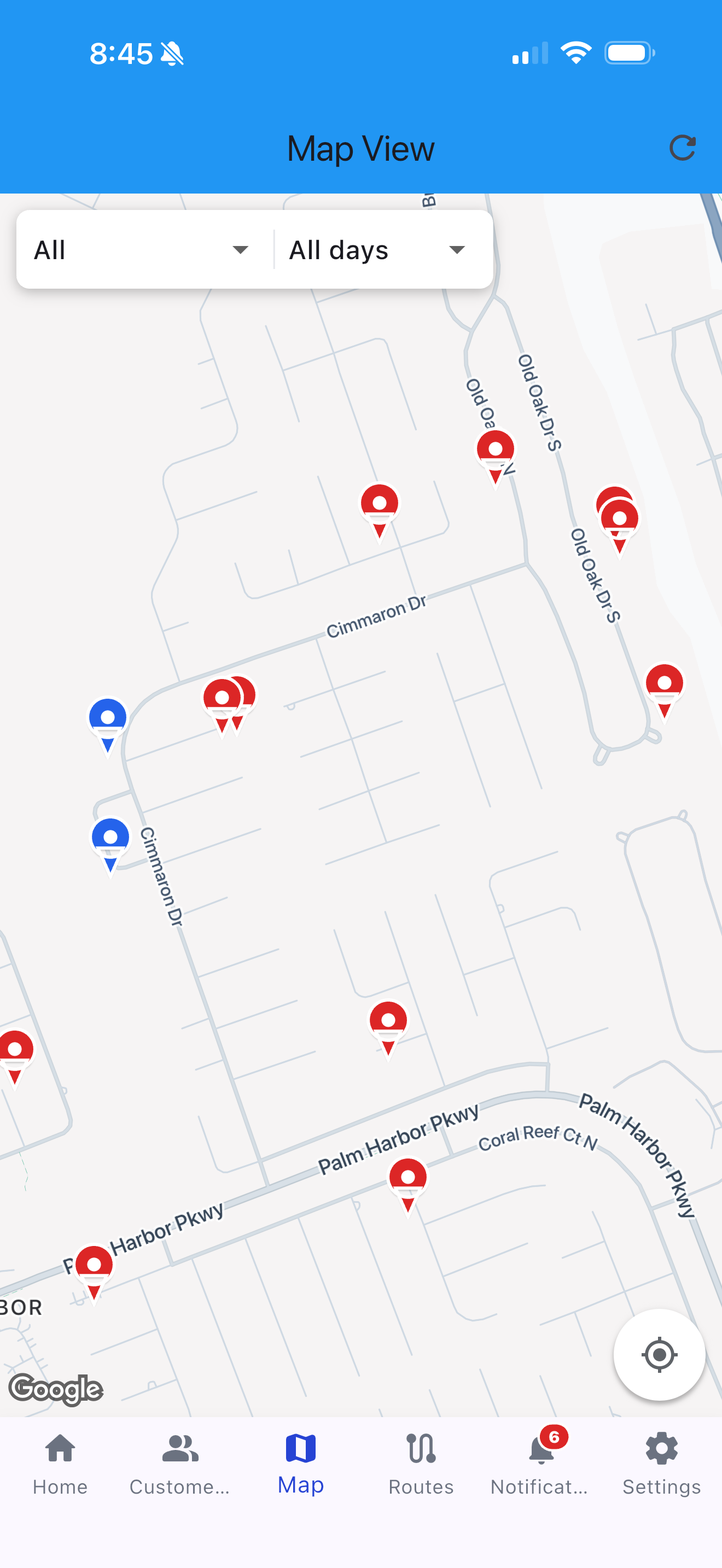
The same route on the map
Routes & SchedulingIncluded · no add-on

Every stop and every mile, without a tracker on your crew.

Set up each technician's routes and one-off jobs in minutes and put the stops in the shortest order with one tap. Mileage comes from the route itself, so your crew's phones never ask for location permission. You get the miles; they keep their privacy.

  • One-tap stop-order optimization
  • Mileage per route and per technician, without GPS tracking of anyone
  • Skip a stop with a reason and the customer is notified automatically
  • Service calls and work orders sit in the same day, next to the regular stops
Learn more →
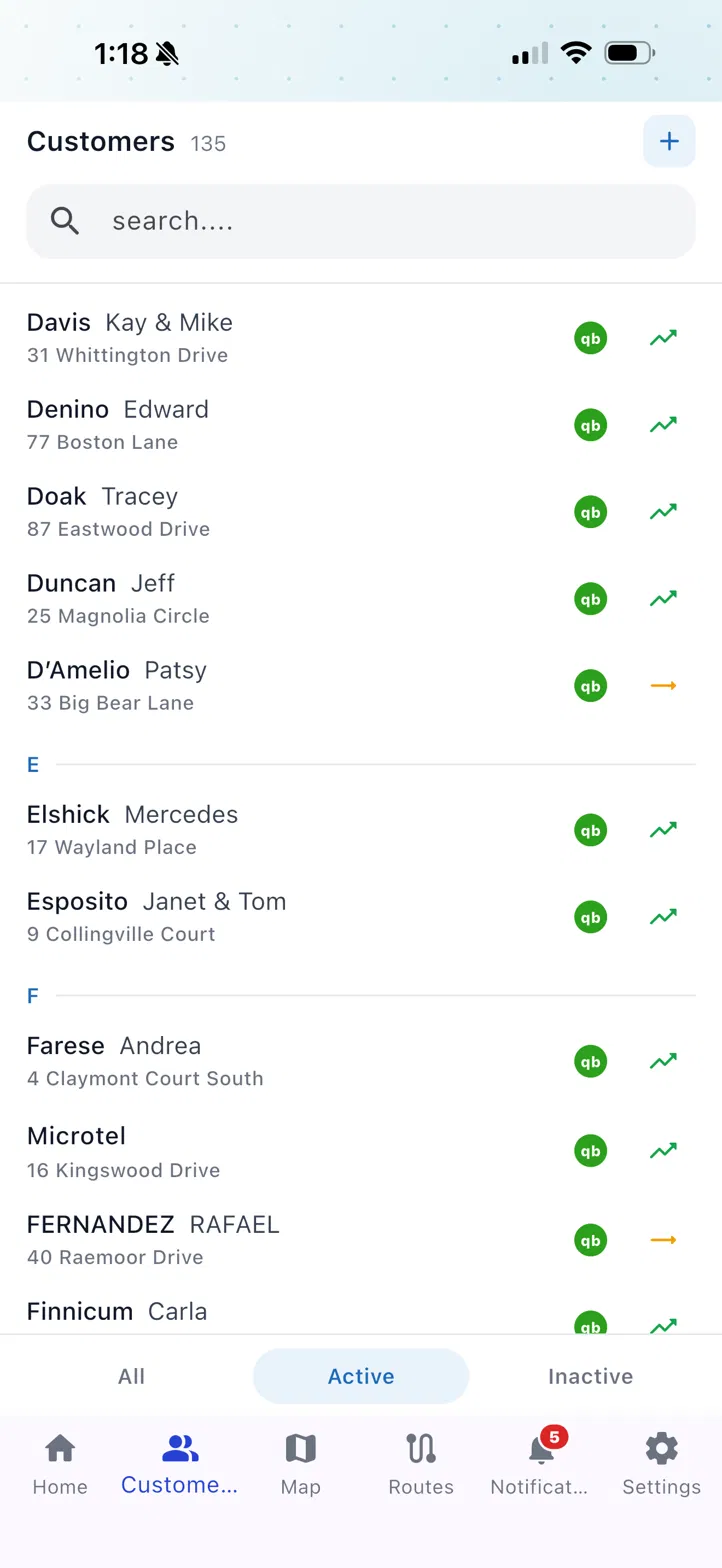
Customers with month-over-month profit arrows
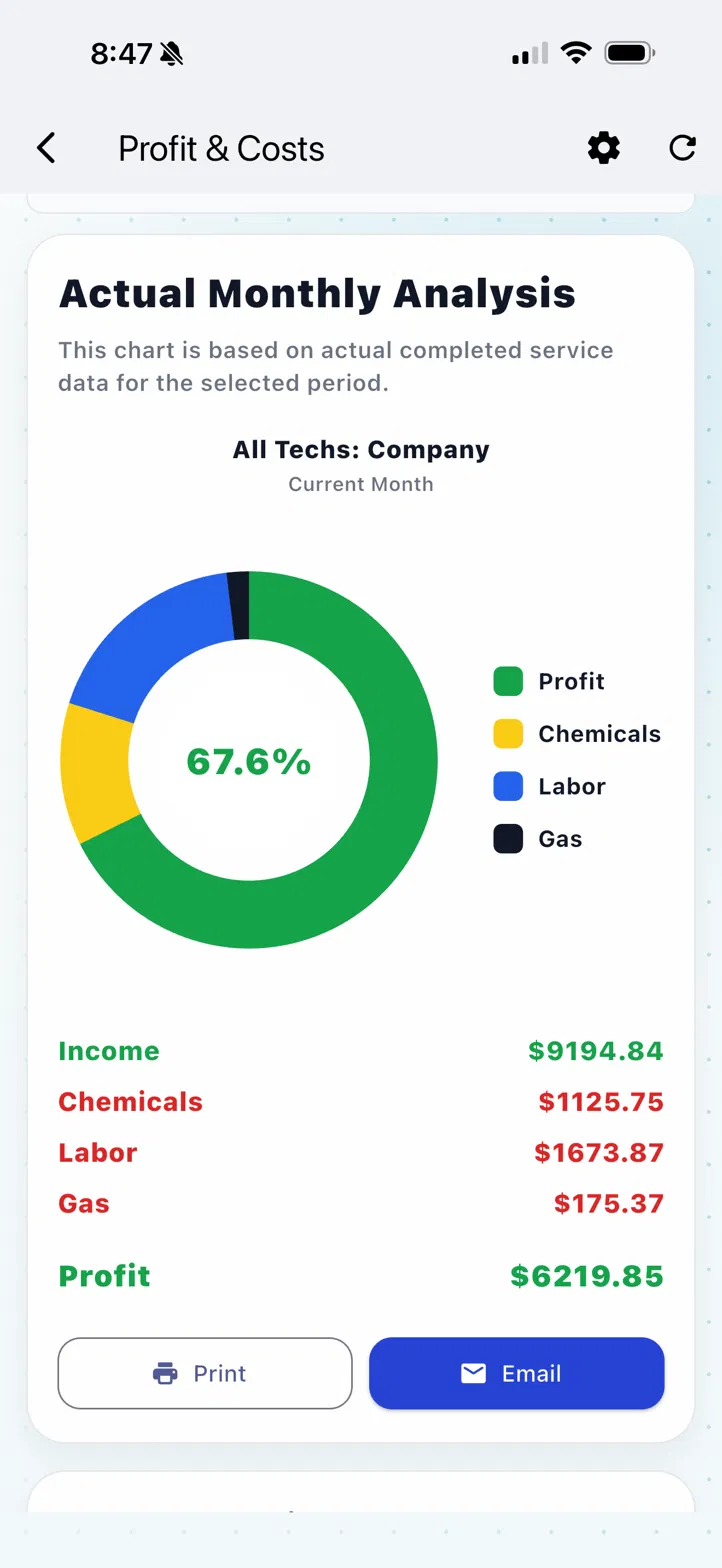
Monthly profit chart: income against chemicals, labor and gas
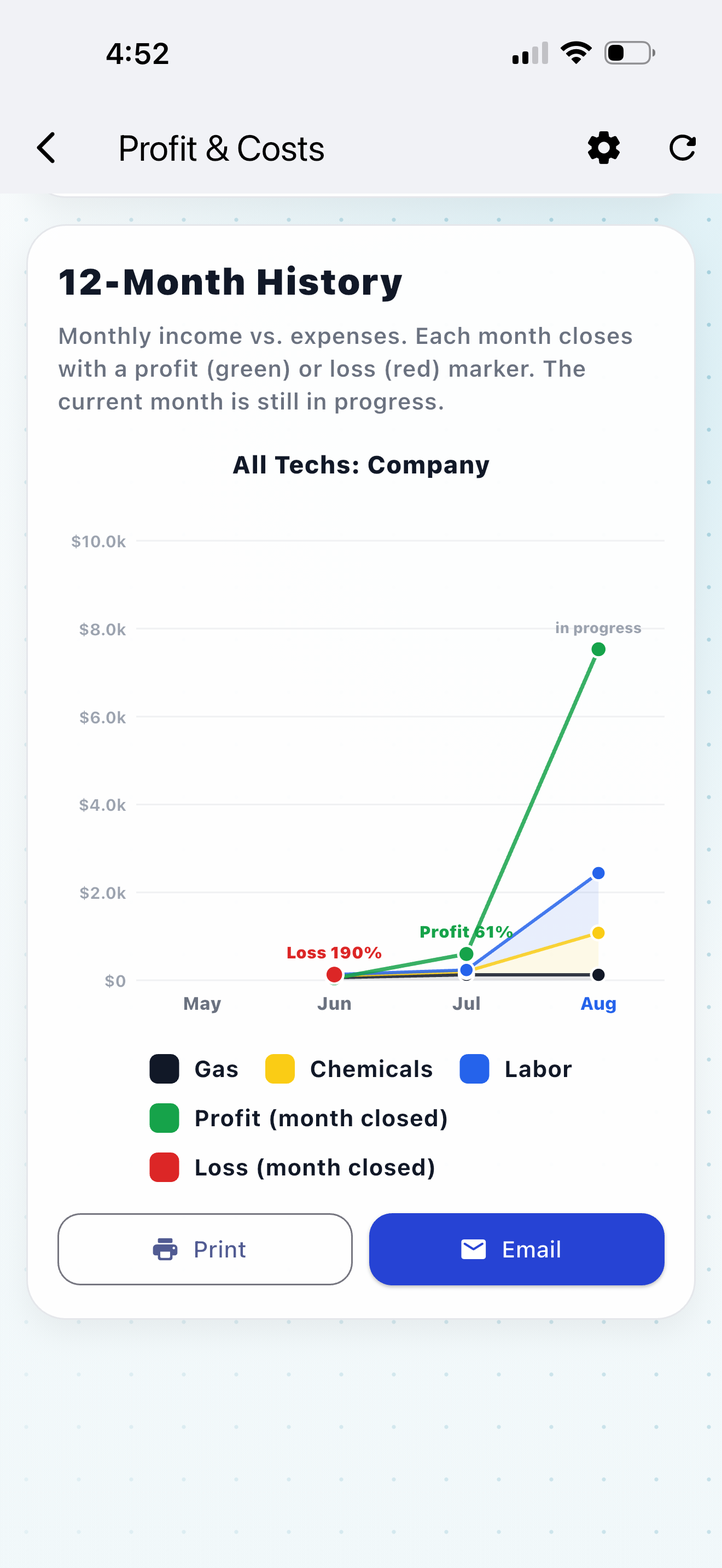
Twelve-month history: income, expenses and each month closing in profit or loss
Profit & CostIncluded · no add-on

Most pool apps show you revenue. This one shows you profit.

Every completed service carries its own cost: the chemicals that went in, the technician's time, the gas to get there. PureSynq adds them up per pool, per route and per company, and ranks your customers by what they really leave you. The gas price updates itself every week from the U.S. government's average for your state, so nobody has to remember to type it in.

  • Profit Rank per customer, with arrows that show who is slipping
  • Chemicals, labor and gas subtracted on every single service
  • Monthly chemical consumption you can filter, print and email
  • Annual mileage log, ready to hand to your accountant
Learn more →
Service screen with readings, Smart Dosage and the Finish button
Smart Dosage & Service ReportsIncluded · no add-on

Your best technician's judgment, on every phone.

Every dose comes with its reason, in cups and ounces: the chlorine this pool has been eating, the alkalinity carrying over, the rain that diluted it since last week. Salt pools, feeders and the saturation index are part of the same screen. When the tech taps Finish, the visit becomes a report your customer actually opens: readings, checklist, photos, your logo.

  • Doses with the physics visible, so new hires dose like veterans
  • Photos stamped with the time they were taken
  • Three report layouts, all white-labeled, emailed the moment the stop is finished
  • Works with no signal: reports and photos upload themselves when the phone finds coverage
Learn more →
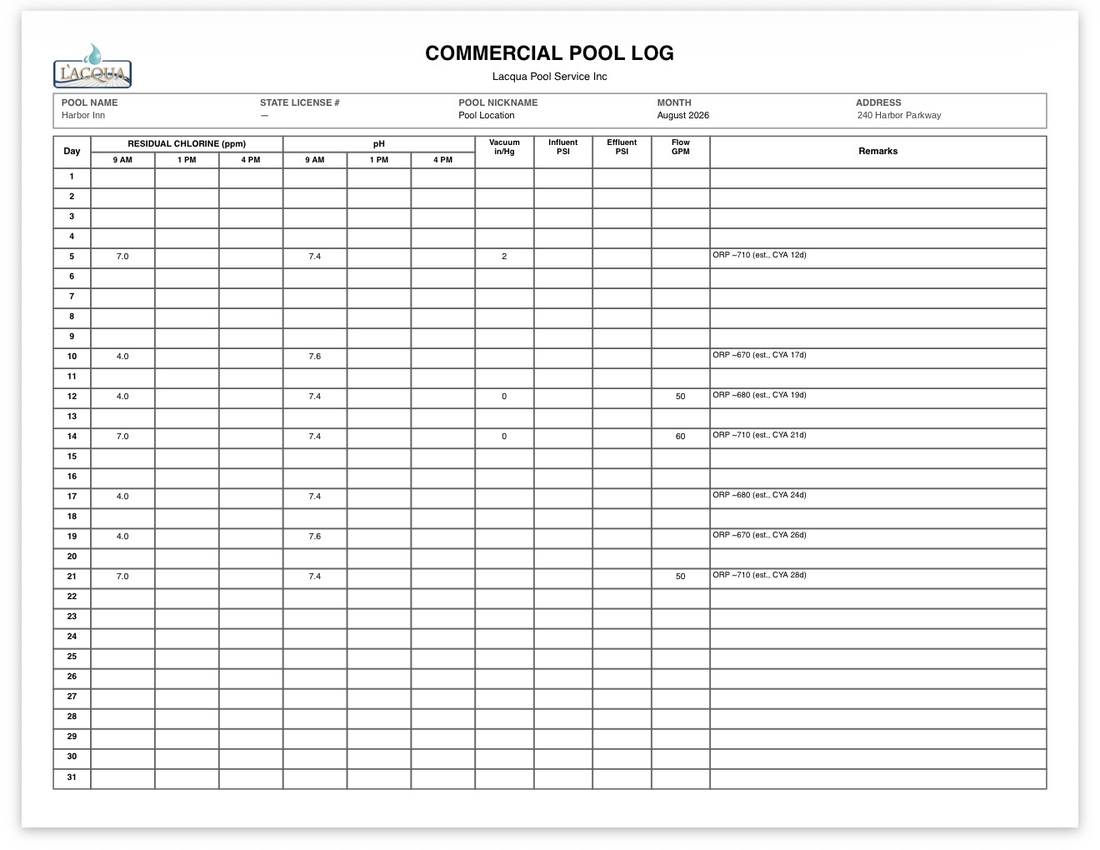
Printed pool log, filled from the same readings
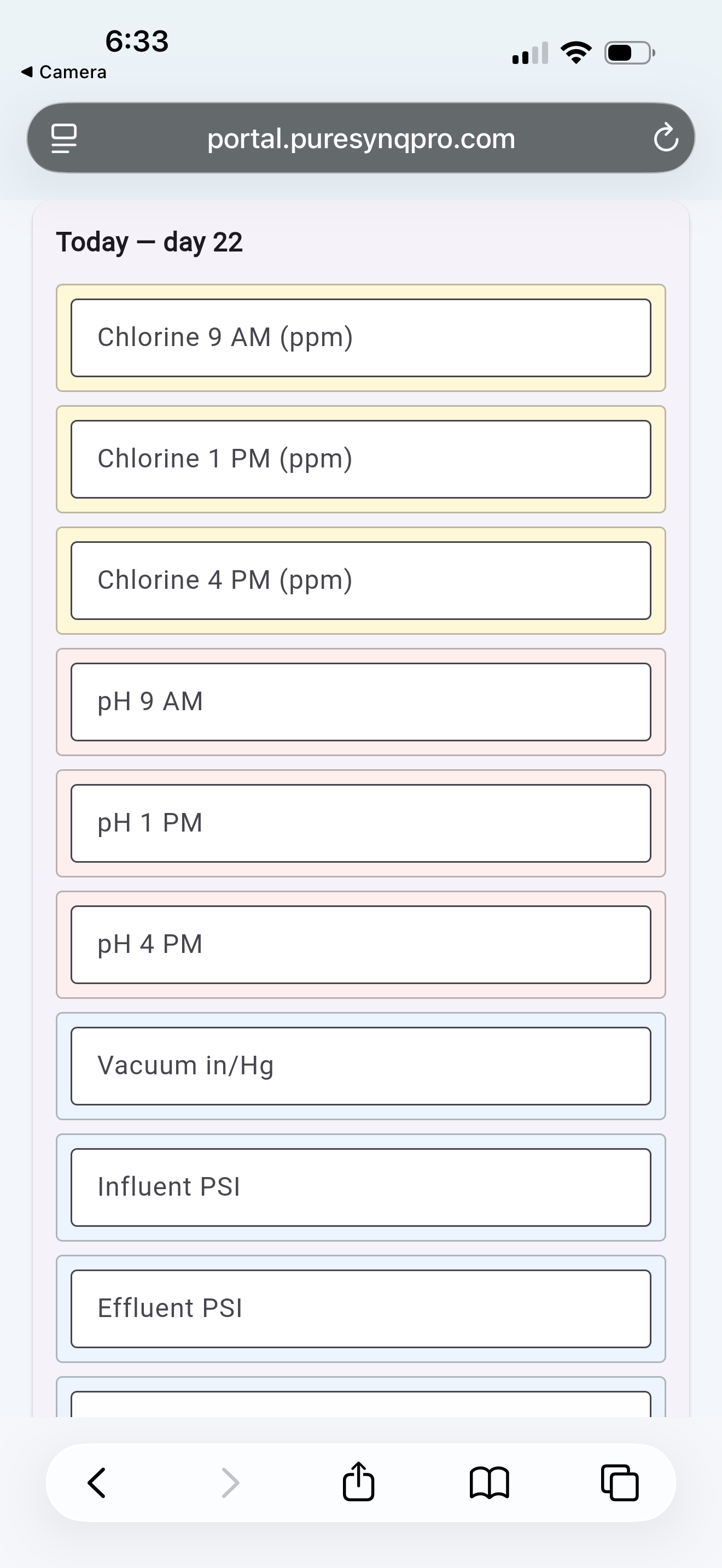
The pool log form opened by scanning the QR: chlorine and pH at 9 AM, 1 PM and 4 PM, vacuum and filter pressure
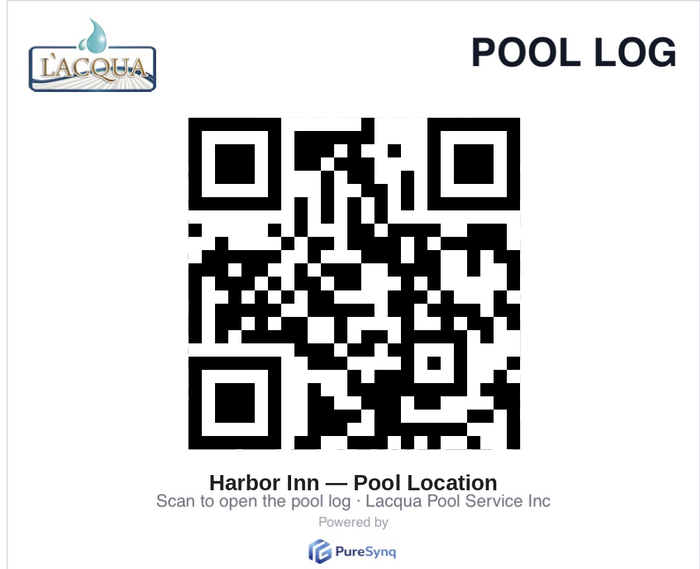
QR card for the equipment pad
Commercial PoolsIncluded · no add-on

Compliance without the clipboard.

A card on the equipment pad. The hotel's or HOA's own staff scan it and type the 9 AM chlorine from their phone, nothing to install, no login to remember. Your technician's visits fill in the rest automatically. Every reading lands in one log per body of water, timestamped, and it prints in the layout inspectors already know when they ask for paper.

  • On-site staff log the readings between your visits, straight from the QR code
  • Your service stops feed the same log, so nothing is retyped
  • One log per body of water, with a printable history for the inspector
Learn more →
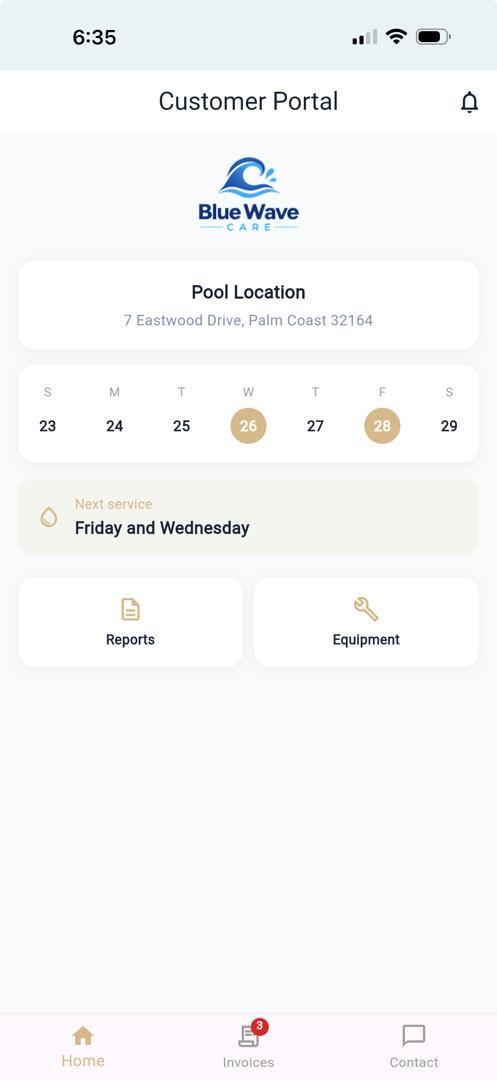
Customer portal home with the company's logo and next service
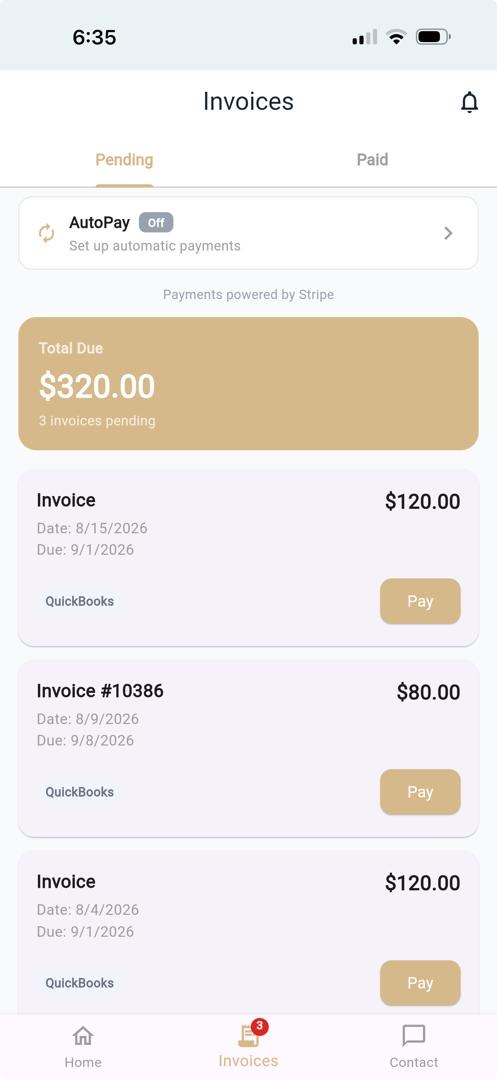
Customer portal invoices with online payment
Customer PortalIncluded · no add-on

Your logo on your customer's phone.

One invite and one minute: the portal installs on their home screen with your company's icon, no app store and no passwords to forget. Reports, invoices, online payment, AutoPay and issue reporting, all under your brand and none under ours.

  • Installable web app with your logo and colors
  • Customers read their reports, pay invoices and enroll in AutoPay
  • They report a pool problem from the portal and it lands in your Case Center
Learn more →
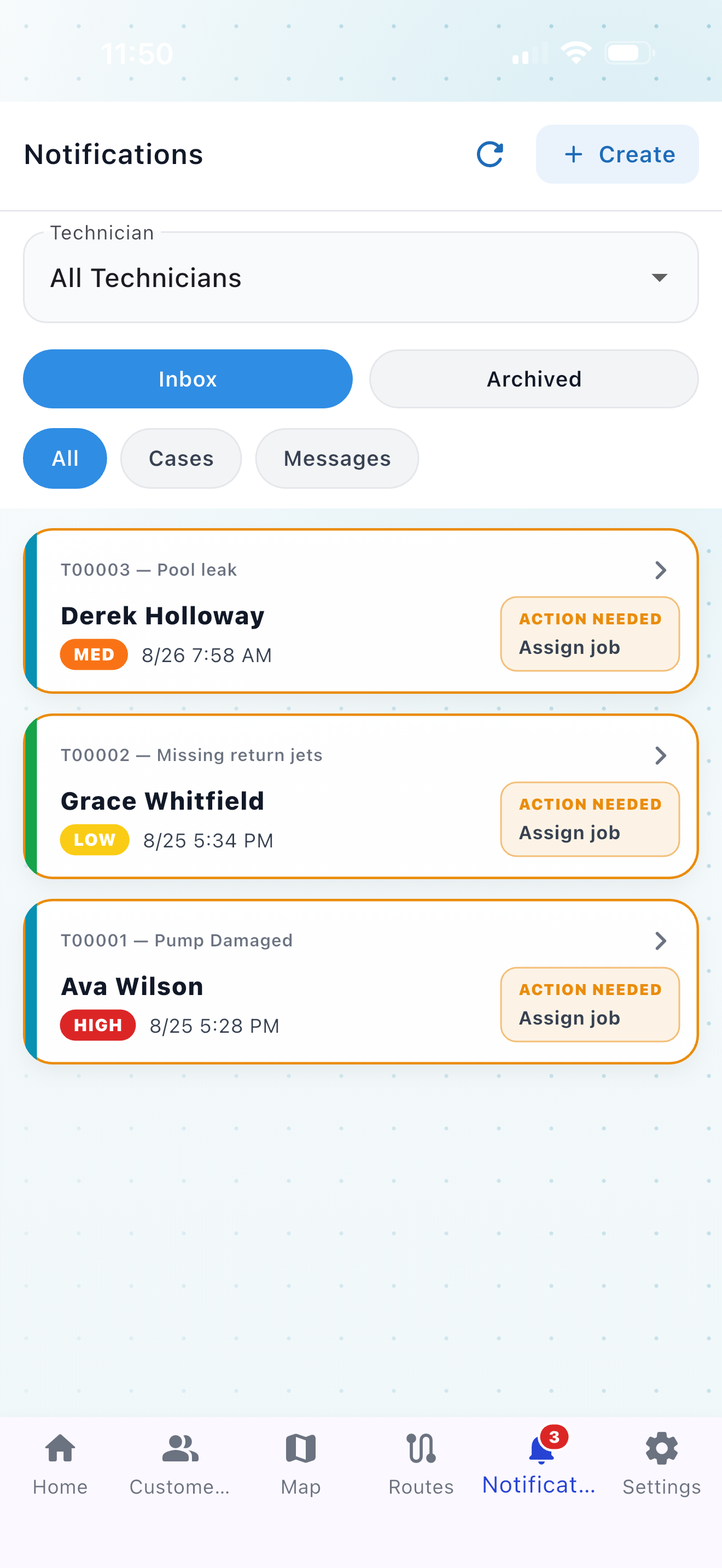
Open cases waiting to be assigned, with priority and who reported them
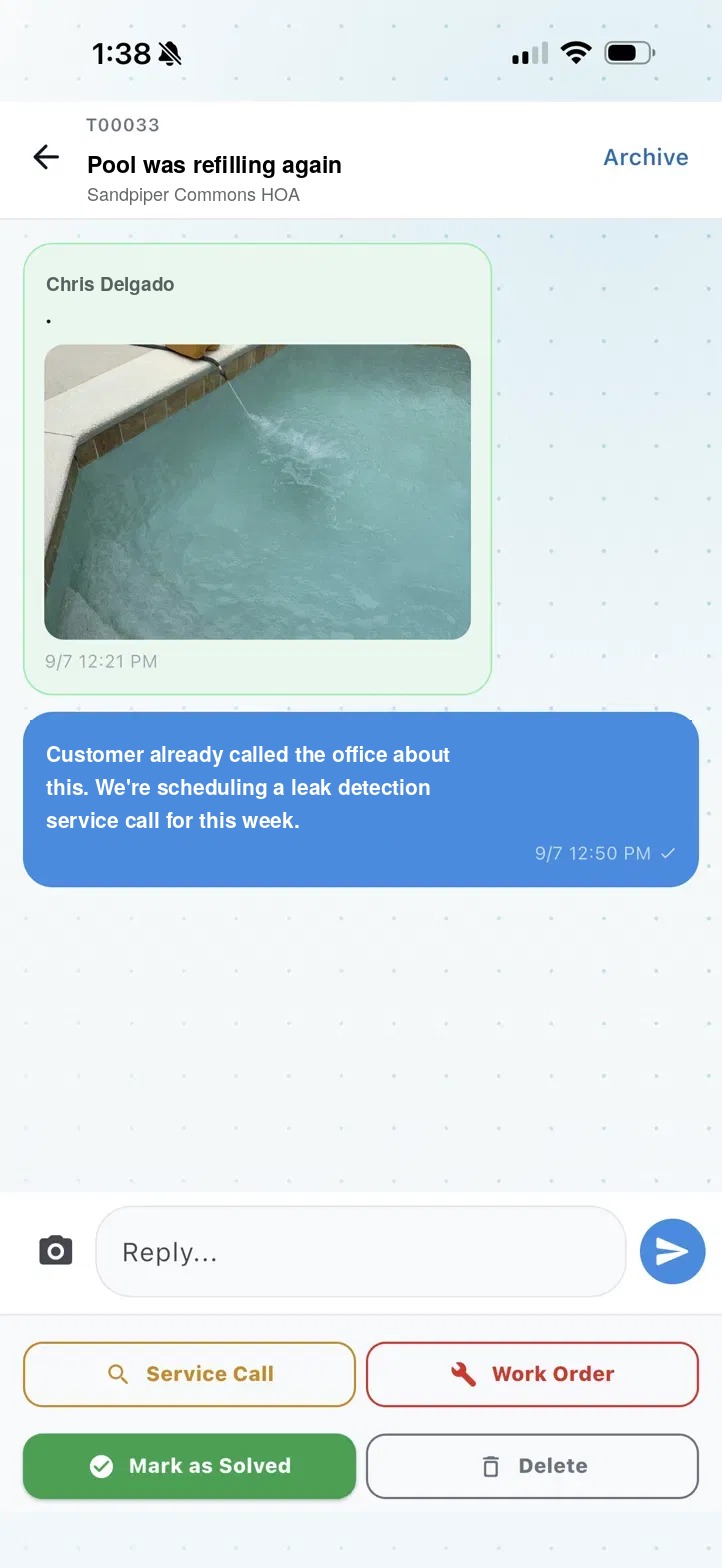
A case thread with a photo, and one-tap Service Call or Work Order
Case Center

Pool problems become cases, not phone tag.

A tech spots a cracked cleaner. A customer reports green water from their portal. Either way it lands in one place as a case with its own thread, and one tap turns it into a service call, a work order or a resolved note. Nothing lives in text messages anymore.

  • Technicians and customers open cases; the office sees all of them
  • Every case is a thread: photos, questions and decisions in one place
  • One tap schedules the service call or work order from the case
Learn more →
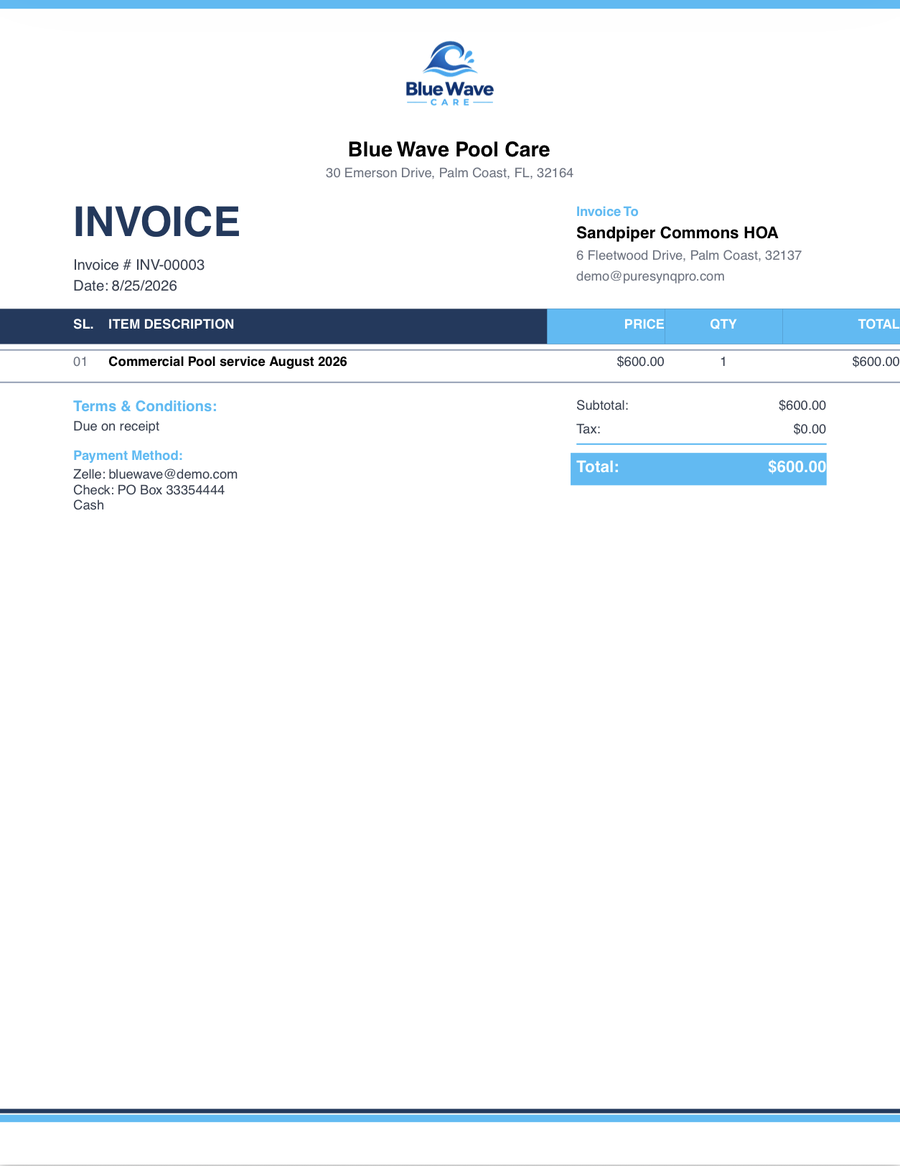
An invoice created from a completed service, with the company's own logo
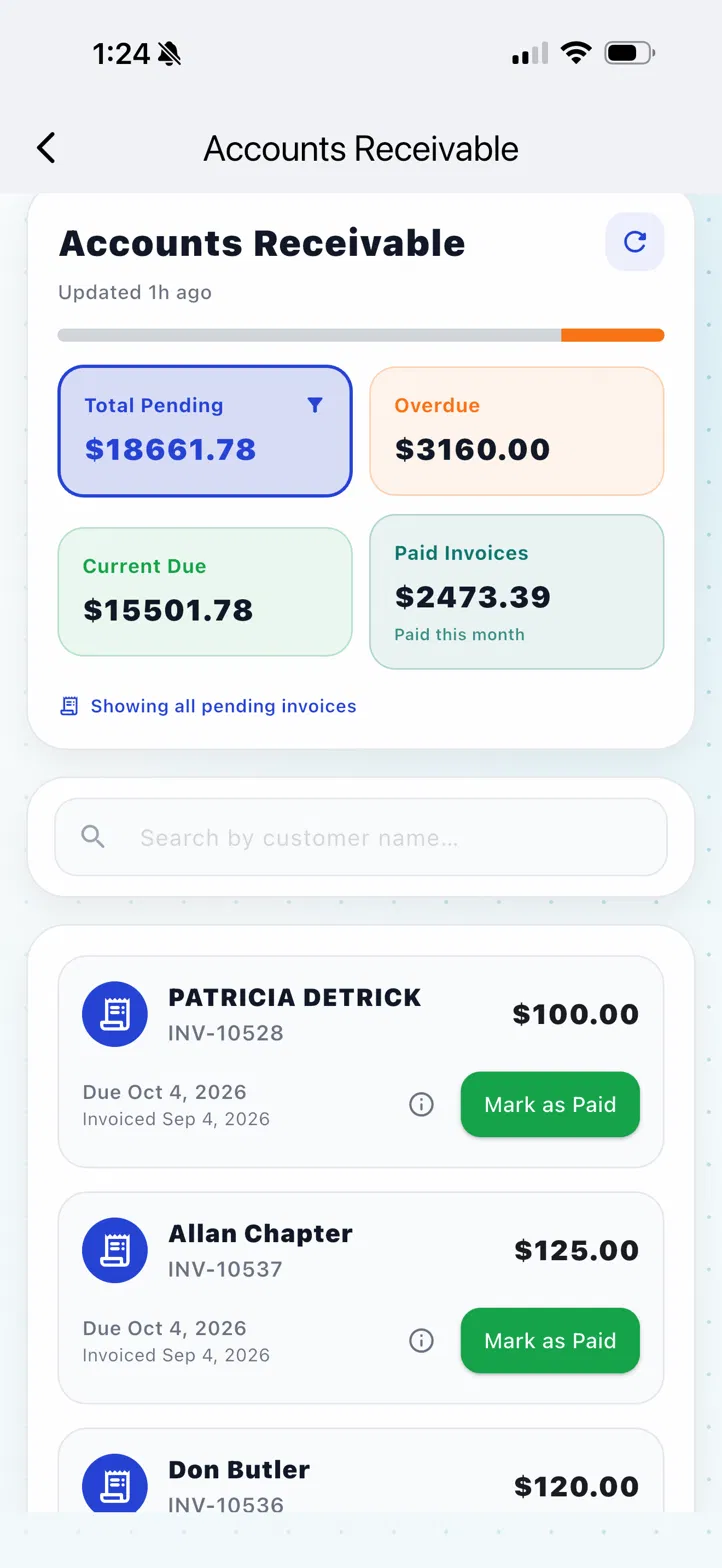
Accounts receivable: who owes what and since when
Billing & QuickBooks

Your books stay yours.

If you run QuickBooks Online, the fear is always the same: connect a new app and wake up to duplicated customers and invoices you did not write. PureSynq does not copy invoices into QuickBooks. It tells QuickBooks what to create, matches every customer against the ones you already have before touching anything, and leaves the documents, the numbering and QuickBooks Payments exactly as they were. If you do not use QuickBooks, the same button invoices inside PureSynq and takes cards through Stripe.

  • Invoices created by QuickBooks itself, in your QuickBooks, from the service you just finished
  • Duplicate matching on customers before anything is written
  • Or bill inside PureSynq with Stripe card payments, fees shown before you connect
  • Switch engines later without disconnecting anything
QuickBooks setup guide → Stripe setup guide → Learn more →

One plan. Every feature.

The only thing that changes your bill is how many customers you serve. Not technicians, not admins, not which screens you unlock. Every feature on this page is in the plan.

$29.99/month

Covers your first 30 serviced customers.

Then $1/month per additional customer you actually serviced that month.

30-day free trial · the clock starts with your first completed report, not when you sign up · no credit card to start · cancel anytime from Settings

Start your trial onGoogle Play

What the plan includes

  • Unlimited technicians and admins
  • Routes with one-tap optimization
  • Profit per pool, route and company
  • Smart Dosage with the reasons
  • Photo reports, white-labeled
  • Commercial QR pool logs
  • Customer portal with your logo
  • Case Center
  • Invoicing, Stripe payments, AutoPay
  • QuickBooks Online sync
  • Automatic gas price for your state
  • Web app for the office

What would you pay?

Move the slider to the number of pools you service in a typical month.

40
$39.99per month, everything included

$29.99 covers the first 30. Each additional serviced customer adds $1. Add as many technicians as you need; the number does not move.

Frequently asked questions

What does it run on?

The technician app is on Google Play today, and the office runs it in any browser at app.puresynqpro.com. The iPhone version is in review with Apple; leave your email at the bottom of this page and we will tell you the day it lands. Your customers' portal works on any phone or browser, nothing to install.

When does the 30-day trial start?

When you complete your first service report, not when you create the account. Set up your customers and routes at your own pace; the clock only starts once you are actually working in it.

Do I pay per technician?

No. Pricing is based on the customers you serviced that month, not on seats. Add technicians, assign routes and set roles without changing your bill.

Does it track my technicians?

No. The app never asks for the phone's location, and there is no GPS tracking of anyone. Mileage is calculated from the route itself, stop to stop.

Do I need QuickBooks?

No. You can invoice and take card payments entirely inside PureSynq. If you do use QuickBooks Online, connect it in about five minutes and PureSynq will have QuickBooks create the invoices itself, matching your existing customers first so nothing gets duplicated. See the QuickBooks setup guide.

Does it work without cell signal?

Yes. Service reports and photos queue on the phone and upload themselves when signal returns, even if the app gets closed in between. Your techs finish the stop and drive on.

Do my customers need to install anything?

No app store, no account creation. You send one invite from their profile; they tap it, follow a one-minute guide, and the portal sits on their home screen with your company's logo. They can also just open it in a browser.

How do I cancel, and what happens to my data?

Cancel anytime from Settings, in two taps. Your data stays yours: invoices are kept as long as tax rules require, and you can request full deletion of your account and data at any time from our account deletion page.

Thirty days. Your own pools.

Install it, load your route and run it for real. The trial starts with your first completed report, and by the end of the month you will know what every pool on it is worth to you.

On iPhone? Leave your email and we will write to you the day PureSynq is on the App Store.

Talk to us

Questions, a walkthrough, or help moving your customer list over. We answer fast.

Prefer email? Write to support@puresynqpro.com and we will get back within one business day.

Built in Palm Coast, Florida, by a pool service company owner with ten years on the route, for companies that live on the route, not in the office.